NexArm ROS2 AI Robotic Arm – Raspberry Pi/Jeton & ESP32 Open-Source Robot with VLA, 3D Vision, Multimodal AI & OpenClaw
-
【Embodied AI ROS 2 Robotic Arm】ROS 2-powered & Jetson/Raspberry Pi 5 compatible. Packed with a 3D depth camera, AI voice box, and 65 kg·cm magnetic encoder servos to effortlessly deliver motion-sensing interaction, voice control, and intelligent grasping.
-
【Large AI Models & OpenClaw Agent】Supports online/local multimodal AI model deployment. Deep OpenClaw Agent integration enables remote voice/text interaction, autonomous task decomposition, intelligent decision-making, and complex task execution.
-
【Integrated Algorithm Framework】Integrates YOLO26, OpenCV, MediaPipe, Gmapping, inverse kinematics, and other algorithms and tools, providing a highly configurable and extensible development environment.
-
【Visual PC Software】Features professional PC software supporting one-click scene switching and dual-stream real-time video feedback. Easily customize scenes and hardware parameters for smooth, efficient operation.
-
【Out-of-the-Box Ready & Full-Scale Curriculum】Pre-loaded with Ubuntu 22.04 alongside a complete dev stack of Python, TensorFlow, PyTorch, and ROS for instant deployment. Includes an end-to-end curriculum spanning computer vision, deep learning, NLP, inverse kinematics, large AI models, and VLA imitation learning.


Product Description
Hiwonder's NexArm ROS Robotic Arm is an all-in-one experimental platform purpose-built for advanced ROS education and embodied AI research. Featuring an advanced modular architecture, it natively fuses multimodal large models, OpenClaw agents, ACT, VLA, machine vision, and inverse kinematics into a complete validation loop spanning foundational concepts to high-level embodied algorithms.
Its NVIDIA/Raspberry Pi + ESP32 dual-controller setup powers a high-performance hardware suite consisting of magnetic encoder bus servos, a parallel-rail gripper, a 3D depth camera, and an AI voice module. Deep integration of multimodal AI and OpenClaw agents drives precise 3D depth perception and multi-dimensional sorting. It fully satisfies full-stack development demands, spanning environmental sensing to real-world physical manipulation.

Large AI Model & OpenClaw
Fusing the OpenClaw agent with multimodal AI models across speech, language, and vision, the NexArm ROS robotic arm executes complex remote tasks like visual scene understanding, dynamic object tracking, and data aggregation and analysis.

Versatile Controller Compatibility
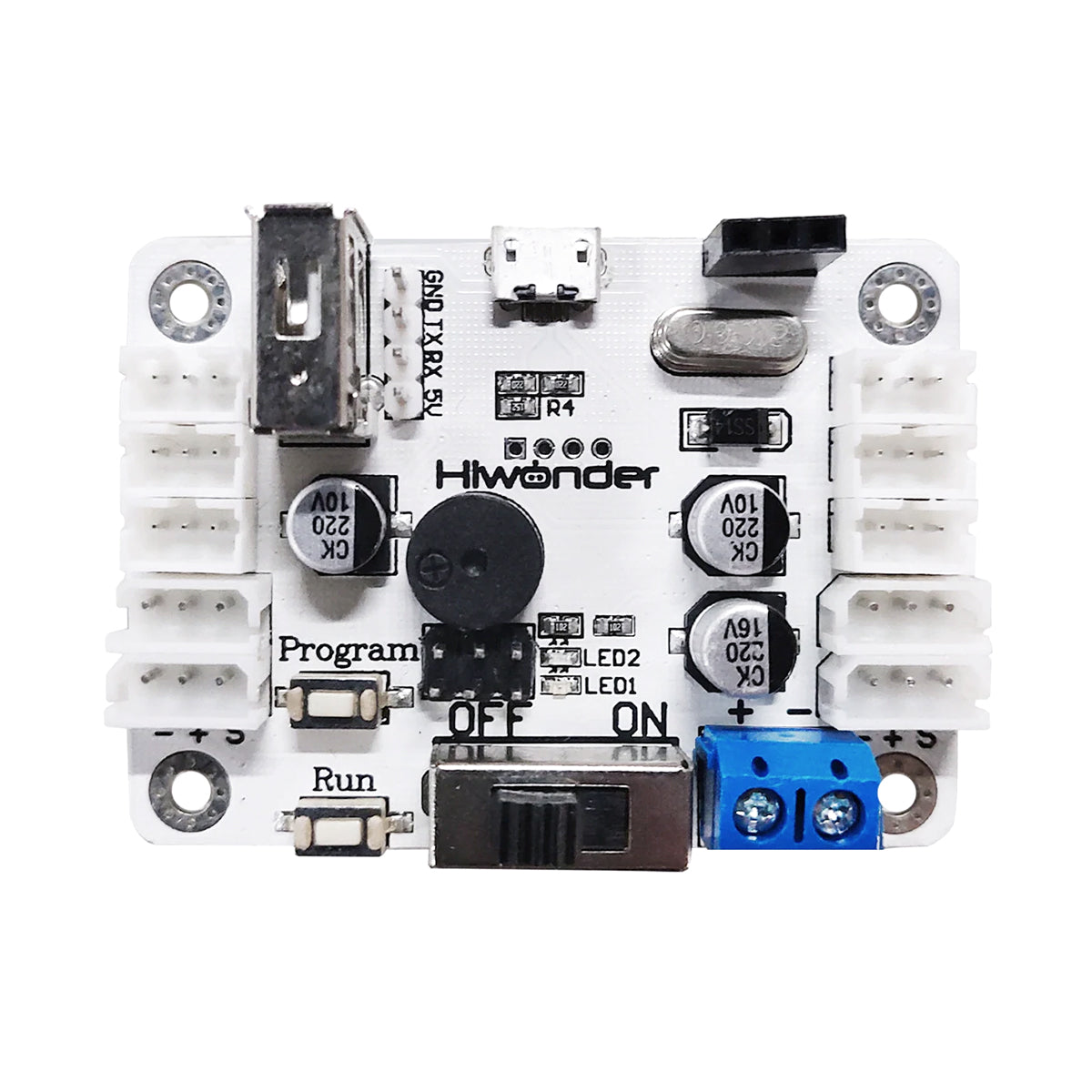
The NexArm ROS robotic arm controller assembly supports Raspberry Pi and high-performance Jetson controllers. Equipped with a multi-functional expansion board and rich ports, it seamlessly accelerates development and hardware expansion.

3D Spatial Recognition & Grasping
An integrated 3D structured light depth camera fuses RGB and depth data, utilizing advanced vision algorithms to power object tracking, detection, and facial recognition for precise 3D spatial perception and grasping.

Inverse Kinematics & Eye-Hand Coordination
Powered by an in-house, high-performance inverse kinematics algorithm, NexArm reaches any coordinate within its workspace, driving advanced AI projects like grasping, sorting, and transporting.


Dual-Output-Shaft Magnetic Encoder Bus Servo
A dual-shaft design with the main shaft for power output and the secondary shaft for support, delivering greater operating stability.

Parallel-Rail Gripper
Silicone gripper pads and stainless-steel transmission components ensure a secure grip and improved durability.

Aerospace-Grade Industrial Bearing Base
An industrial bearing base supports 270° joint rotation and positioning, while the aerospace-grade structure reduces Z-axis wobble.

OLED Display Design
Equipped with an OLED screen that displays real-time data of this open-source robotic arm.
Multimodal Large Al Models for Embodied Intelligence

Multimodal AI Model Creative Applications

Large AI Model × OpenClaw
Automated Intelligent Sorting

Versatile Scenario Expansion
Supports mobile suspended chassis and electric sliding rails to precisely simulate smart warehousing, logistics sorting, and automated production lines for rapid Embodied AI algorithm validation.

Standard Sorting Sandbox
Equipped with sorting trays and color blocks to handle complex tasks like visual color recognition, multi-colored blocks classification, transporting, and intelligent sorting.

Advanced Sorting Sandbox
Adds physical props like miniature sorting bins to expand capabilities into automated waste classification, sorting and transporting of multi-colored blocks, and intelligent sorting control.

Sliding Rail Warehouse Sandbox
Integrates a high-precision electric linear sliding rail and multi-tier shelving. It supports multi-workstation transport, automated inventory sorting, and inbound control to fully replicate industrial warehousing and logistics workflows.

Suspended Mobile Chassis
NexArm ROS is integrated with a suspended tank or suspended omnidirectional Mecanum wheel chassis. Beyond supporting remote mobile control via wireless controller or app, the setup drives efficient mobile tracking and autonomous line following.
ROS 2 Core Features


Models for Embodied Intelligence


Hardware Specifications


| Product model | NexArm ROS Embodied AI Open-Source Robotic Arm |
| Dimensions | 245 × 131 × 617 mm |
| Weight | 1.3 kg |
| Material | Metal brackets |
| ESP32 controller | ESP-WROOM main chip |
| ROS controller | Raspberry Pi 5 / Jetson Nano / Jetson Orin Nano / Jetson Orin NX |
| Control Methods | ROS topics/nodes, Python programming, app control, PC software control |
| Camera | Depth camera |
| Power supply | 12 V 5 A DC power adapter |
| Operating system | Ubuntu 22.04 + ROS 2 Humble |
| Software | iOS/Android app, Windows PC software |
| Communication | USB, Wi-Fi, Ethernet |
| Programming tools | Python, C, C++ |
| Storage | 64 GB TF card (Raspberry Pi 5 / Jetson Nano) 128 GB SSD (Orin Nano / Orin NX) |
| Servo model | HX-12H / HX-30HM / HX-65HM intelligent bus servos |
| Included materials | Comprehensive tutorials, ROS source code, ESP32 source code, system images, supporting softwares |


Videos
What is NexArm? >>>
Blog

《Best Desktop Robotic Arm Kits for School 2026》

《NexArm Redefines Motion Aesthetics for Desktop Robotic Arms》
| Product model | NexArm ROS Embodied AI Open-Source Robotic Arm |
| Dimensions | 245 × 131 × 617 mm |
| Weight | 1.3 kg |
| Material | Metal brackets |
| ESP32 controller | ESP-WROOM main chip |
| ROS controller | Raspberry Pi 5 / Jetson Nano / Jetson Orin Nano / Jetson Orin NX |
| Control Methods | ROS topics/nodes, Python programming, app control, PC software control |
| Camera | Depth camera |
| Power supply | 12 V 5 A DC power adapter |
| Operating system | Ubuntu 22.04 + ROS 2 Humble |
| Software | iOS/Android app, Windows PC software |
| Communication | USB, Wi-Fi, Ethernet |
| Programming tools | Python, C, C++ |
| Storage | 64 GB TF card (Raspberry Pi 5 / Jetson Nano) 128 GB SSD (Orin Nano / Orin NX) |
| Servo model | HX-12H / HX-30HM / HX-65HM intelligent bus servos |
| Included materials | Comprehensive tutorials, ROS source code, ESP32 source code, system images, supporting softwares |
Shipping & Delivery
1. Free Shipping Policy
Hiwonder offers free standard shipping on orders over US $499 (before tax and duties), delivered via trusted carriers such as DHL, UPS, or FedEx.
Most orders arrive within 6 working days after dispatch. You can check if your country is eligible for free shipping in the regions listed below.
Eligible Regions
- Americas: United States, Canada, Mexico, Chile
- Europe: Germany, United Kingdom, Netherlands, Switzerland, France, Austria, Italy, Belgium, Spain, Sweden, Finland, Norway, Portugal, Czech Republic, Poland, Greece, Slovenia, Romania, Denmark, Bulgaria, Luxembourg, Slovakia, Hungary, Ireland, Estonia, Lithuania
- Asia: China, Japan, Singapore, South Korea, United Arab Emirates, Malaysia, Thailand, Philippines, Indonesia
- Oceania: Australia, New Zealand
If your country or region is not listed above, the shipping cost will be automatically calculated at checkout once you enter your shipping address.
2. Customs & Import Fees
All international shipments are subject to local customs regulations. Import duties, taxes, or other fees may be charged by your country's customs authority upon arrival.
Our shipping term is FOB Shenzhen, which means these fees, if any, are the customer's responsibility. The shipping carriers will assist with the customs clearance process to ensure smooth delivery.
If a package is returned due to unpaid customs duties, any related return or reshipping fees will be deducted from your refund.
3. Order Processing Time
Orders are typically processed within 24 hours after placement and shipped the next business day.
Orders placed on weekends or public holidays will be shipped on the next working day.
Once shipped, you will receive a confirmation email with tracking information.