Hiwonder xArm UNO Robotic Arm with Arduino Secondary Development Sensor Kit
- 【xArm-UNO Unlimited Creativity】xArm UNO consists of the xArm 1S robot arm and a secondary sensor development kit. The xArm 1S is a high-quality desktop robot arm, while the sensor kit includes features such as a glowy ultrasonic sensor, color sensor, touch sensor, and more. By integrating these sensors with the robot arm, users can engage in various activities such as distance-based gripping, color sorting, sound control, and other interesting games.
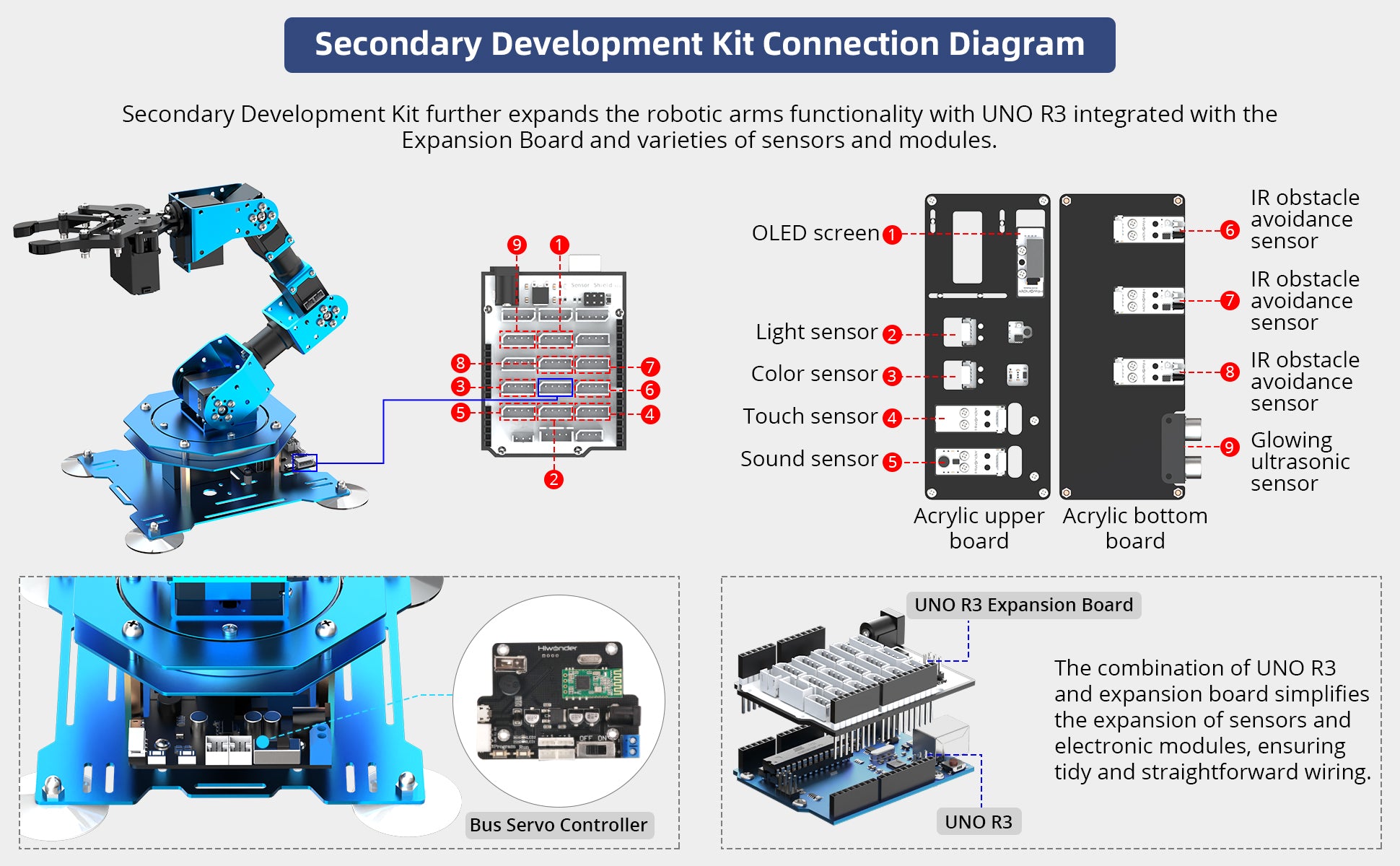
- 【Equipped with UNO R3, Support Arduino Programming】The kit includes UNO R3 and the UNO R3 expansion board, supporting Arduino programming. Detailed Arduino codes are provided, allowing you to implement a variety of creative functions.
- 【Diverse Control Options】xArm-UNO supports control via PC, app, mouse, and a wireless handle. These features offer a wide range of access points for gaming and learning methods, making it highly suitable for innovative programming ideas and programming learning.
- 【High-Quality Robot Arm】xArm 1S robot arm is constructed from aluminum alloy, equipped with industry-grade bearings, and features 6 high-accuracy and high-torque serial bus servos that provide feedback on position, voltage, and temperature.


Abundant Functions

Auto Sorting
The robot kit contains 3 infrared obstacle avoidance sensors, capable of detecting objects in front of it. The OLED display will convey feedback. If an object is detected, the robot arm will take action to remove it.

Color Sorting
The robot kit features a color sensor for accurate color detection. The OLED display will showcase the recognized color, empowering xArm to effectively execute color-sorting tasks.

Sound Control
The kit comes with a sound sensor, allowing users to control the robot arm by producing specific sounds to pick up items.

Grab at A Certain Distance
The kit has a glowy ultrasonic sensor for precise distance measurement from objects. By issuing commands to xArm, it can be controlled to perform accurate gripping.

Distance Measurement
The glowy ultrasonic sensor not only measures distance but also has customizable colored illumination for creative use.

Touch Control
The touch sensor detects external touch. When activated, the robot arm can perform object sorting.

Light Sensitivity
The light sensor detects ambient light intensity, and the OLED display shows the corresponding value. This, combined with xArm, enables light control.

Password Lock
With the touch sensor, you can design a 'passcode lock' game. Enter the password by touching the sensor, and the OLED module will display the corresponding number, activating the robot arm.

Claw Machine
By incorporating a touch sensor, xArm can simulate a 'claw machine.' Simply touch the sensor, and the robot arm will be activated to pick up items.


Wireless Handle Control
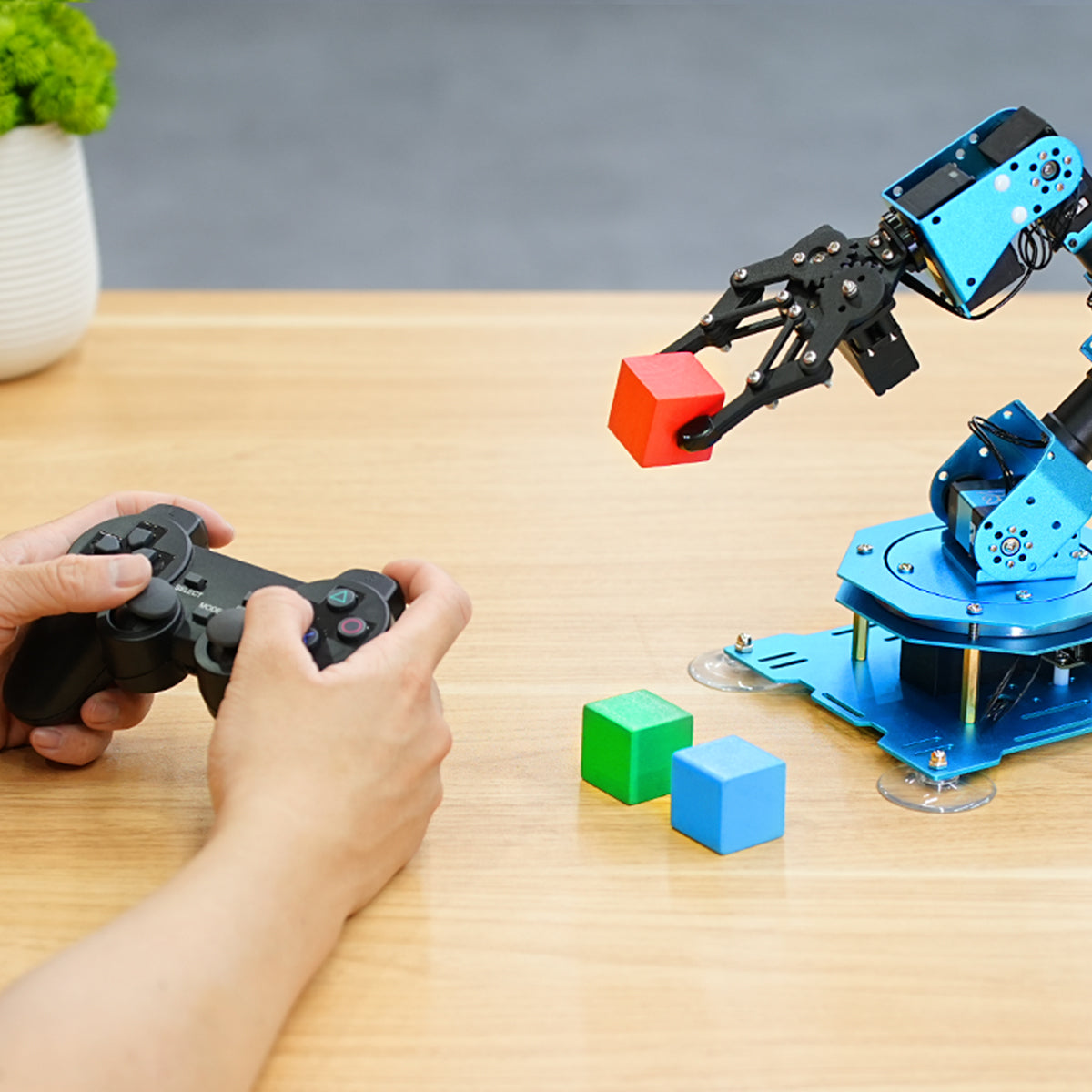
xArm-UNO supports wireless handle control and can connect to the robot via Bluetooth to control the robot in real time.

APP Control
Using the newly designed mobile APP, the interface is easier to operate. Revise the rotation angle or adjust the stance manually when adding actions.

PC Software Control
With the graphical PC software, you can drag the sliders to adjust the servo angle for the stance of the xArm-UNO.

Mouse Control
xArm-UNO supports wired mouse and wireless mouse control, so you can control the robotic arm as you like.
| Product Dimension | 154*140*426mm |
| Product Weight | 0.9kg |
| Material | Aluminum Alloy |
| DOF | 6DOF (5DOF + Gripper) |
| Power Supply | 7.5V 6A DC Power Adapter |
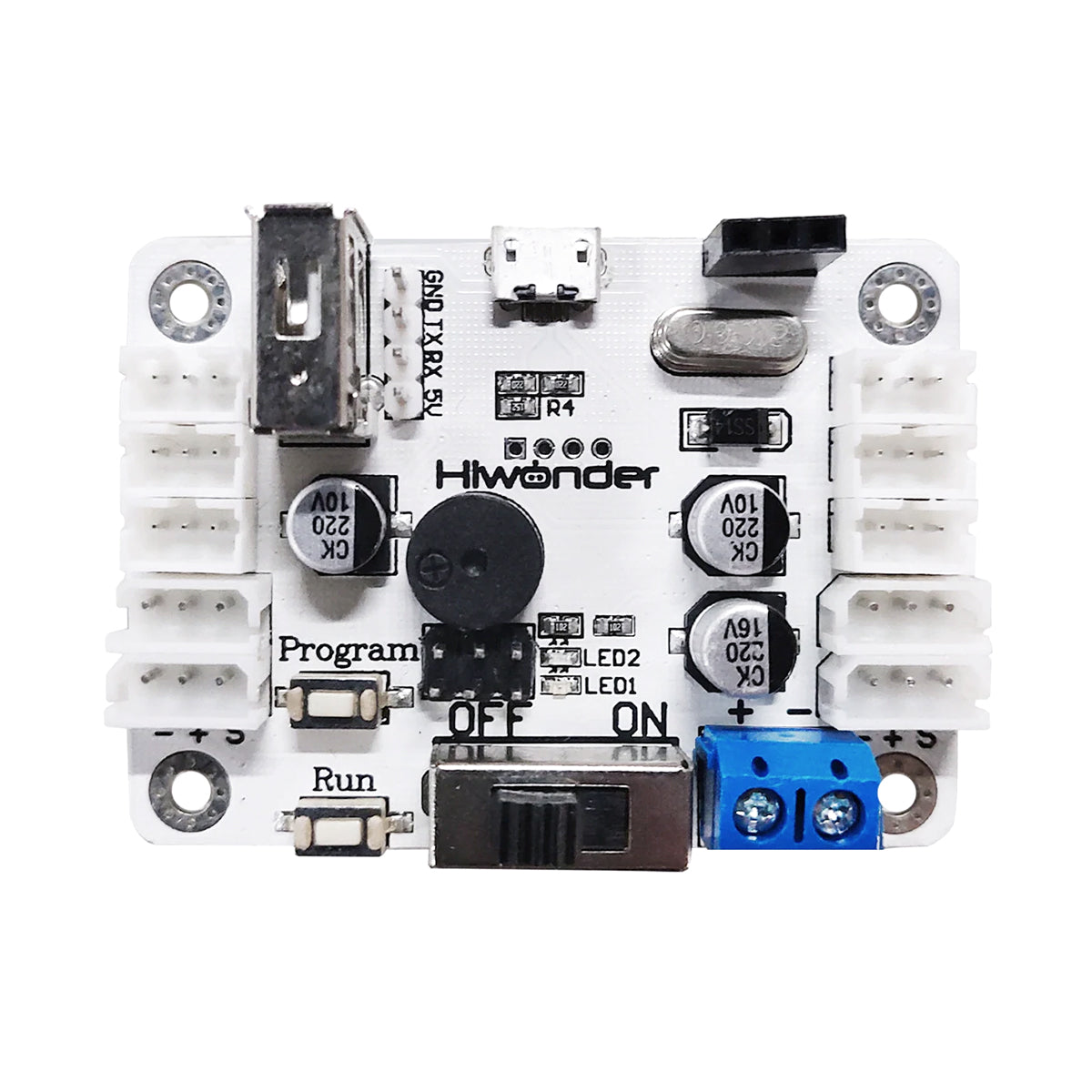
| Controller System | xArm 1S Bus Servo Controller |
| Servo | LX-15D,LX-225 Bus Servo |
| Control Method | PC,APP,Wireless Handle,Mouse |
| Communication method | Bluetooth, USB |
| Package Size | unassembled version: 36*32*12cm assembled version: 51*31*16cm |
| Package Weight | 2.2kg |

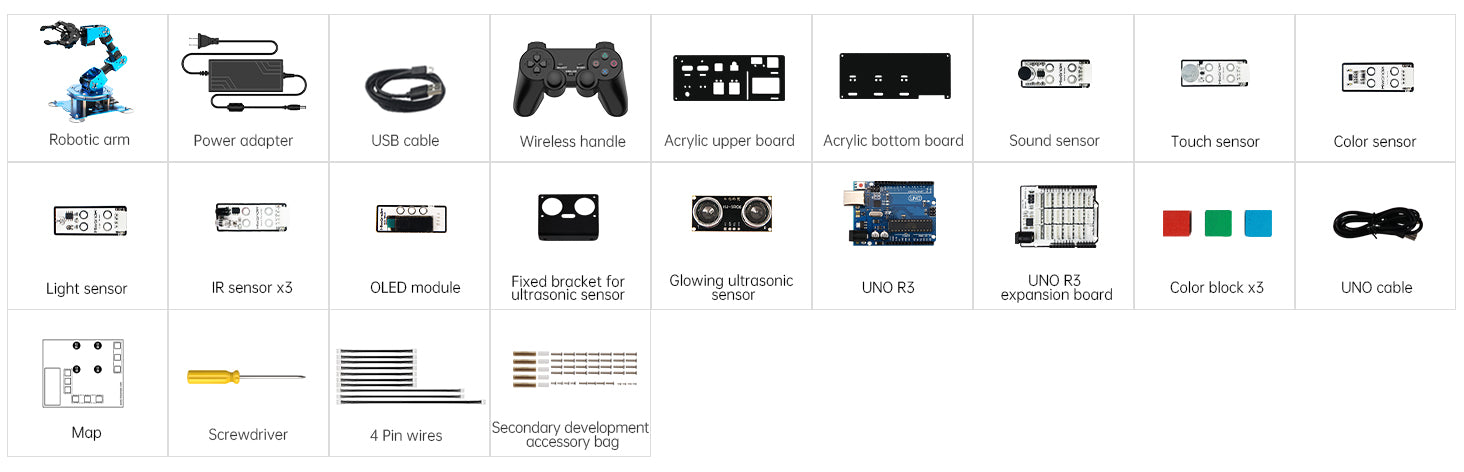
Assembled Robotic Arm + Sensor Packing List

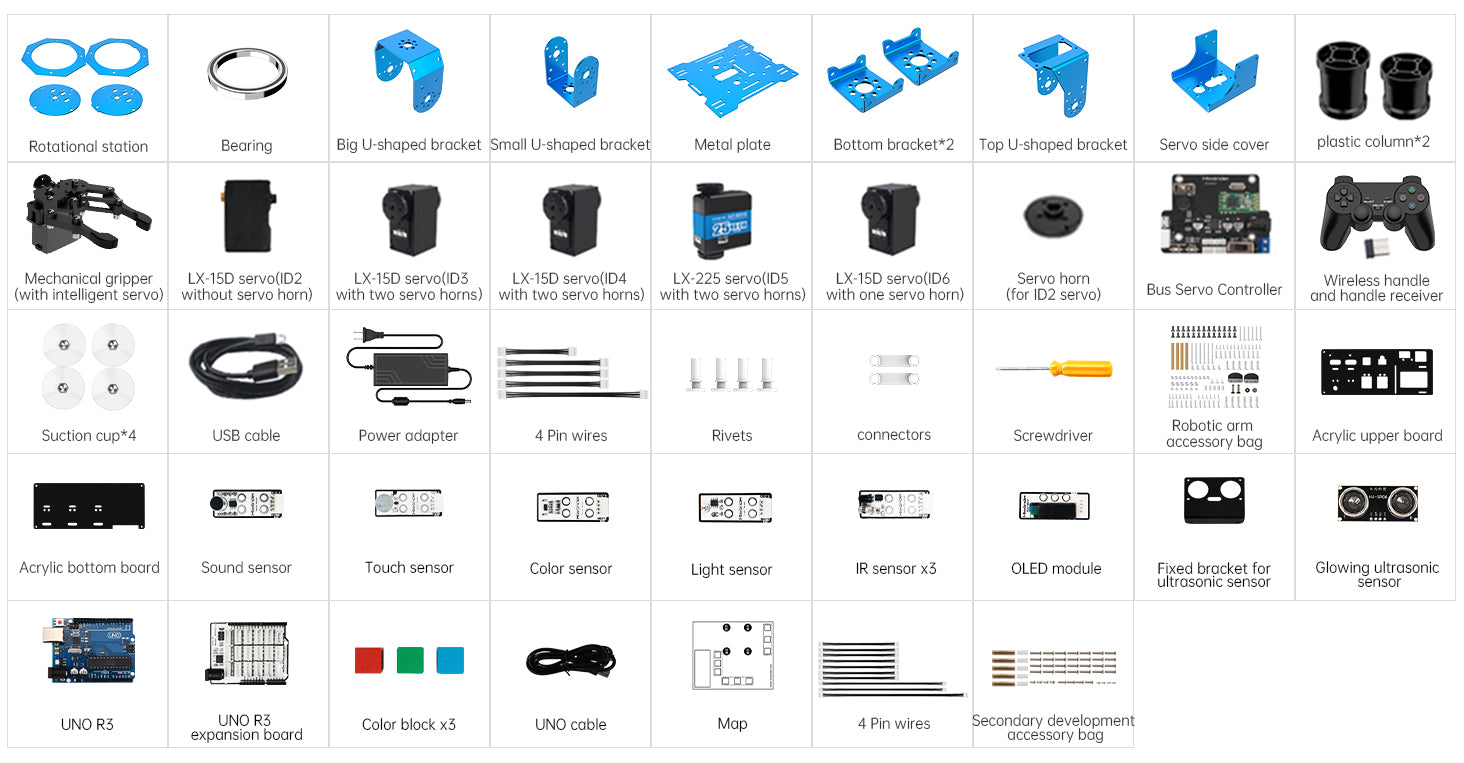
Unassembled Robotic Arm+ Sensor Packing List

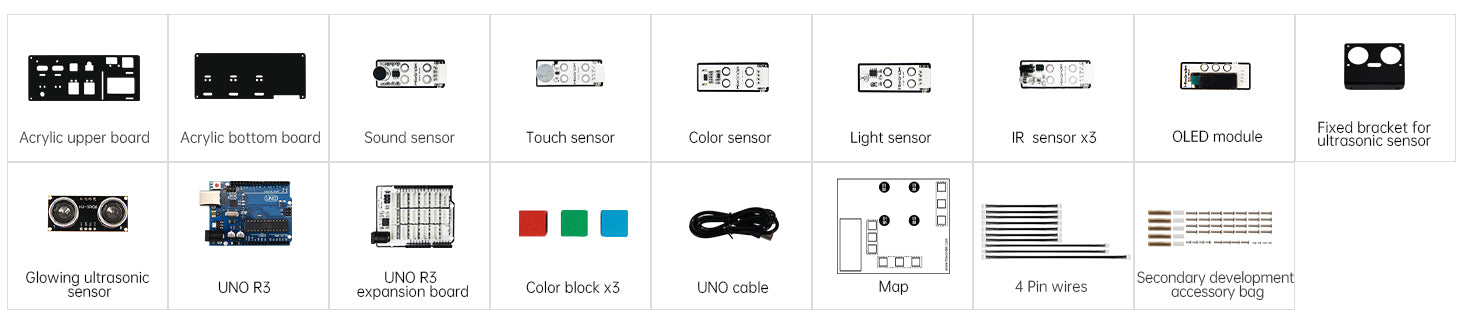
Sensor Development Packing List

Videos
What is xArm UNO >>>
1 Controller Assembly >>>
2 Sensor Assembly Upper Board >>>
3 Sensor Assembly Bottom Board >>>
4 Assembly Upper and Bottom Board >>>
5 Sensor wiring >>>
| Item | Specification |
| Product Dimension | 154*140*426mm |
| Product Weight | 0.9kg |
| Material | Aluminum Alloy |
| DOF | 6DOF (5DOF + Gripper) |
| Power Supply | 7.5V 6A DC Power Adapter |
| Controller System | xArm 1S Bus Servo Controller |
| Servo | LX-15D,LX-225 Bus Servo |
| Control Method | PC,APP,Wireless Handle,Mouse |
| Communication method | Bluetooth, USB |
| Packgae size | unassembled version: 36*32*12cm assembled version: 51*31*16cm |
| Robot Arm Packing List (Unassembled) | 1* Robotic arm brackets (with servo horns) 1* 7.5V 6A DC power adapter 1* PS2 handle control 1* Handle control receiver 1* USB cable 1* Bus servo controller 4* LX-15D intelligent serial bus servo 1* No.1 bus servo 1* LX-225 intelligent serial bus servo 1* Screwdriver |
| Robot Arm Packing List (Assembled) | 1* xArm 1S robotic arm(ready-to-use) 1* PS2 handle control 1* USB cable 1* 7.5V 6A DC power adapter 1* Handle control receiver 1* Screwdriver |
| Sensor development kit | 2* Acrylic board 1* Sound sensor 1* Touch sensor 1* Color sensor 1* Light sensor 3* IR obstacle avoidance sensor 1* OLED scrren 1* Glowing ultrasonic sensor 1* UNO R3 board 1* UNO R3 expansion board 1* Screw bag 3* Colo block 1* UNO cable 1* Map |
Shipping & Delivery
1. Free Shipping Policy
Hiwonder offers free standard shipping on orders over US $499 (before tax and duties), delivered via trusted carriers such as DHL, UPS, or FedEx.
Most orders arrive within 6 working days after dispatch. You can check if your country is eligible for free shipping in the regions listed below.
Eligible Regions
- Americas: United States, Canada, Mexico, Chile
- Europe: Germany, United Kingdom, Netherlands, Switzerland, France, Austria, Italy, Belgium, Spain, Sweden, Finland, Norway, Portugal, Czech Republic, Poland, Greece, Slovenia, Romania, Denmark, Bulgaria, Luxembourg, Slovakia, Hungary, Ireland, Estonia, Lithuania
- Asia: China, Japan, Singapore, South Korea, United Arab Emirates, Malaysia, Thailand, Philippines, Indonesia
- Oceania: Australia, New Zealand
If your country or region is not listed above, the shipping cost will be automatically calculated at checkout once you enter your shipping address.
2. Customs & Import Fees
All international shipments are subject to local customs regulations. Import duties, taxes, or other fees may be charged by your country's customs authority upon arrival.
Our shipping term is FOB Shenzhen, which means these fees, if any, are the customer's responsibility. The shipping carriers will assist with the customs clearance process to ensure smooth delivery.
If a package is returned due to unpaid customs duties, any related return or reshipping fees will be deducted from your refund.
3. Order Processing Time
Orders are typically processed within 24 hours after placement and shipped the next business day.
Orders placed on weekends or public holidays will be shipped on the next working day.
Once shipped, you will receive a confirmation email with tracking information.